Know where they are. See what matters.
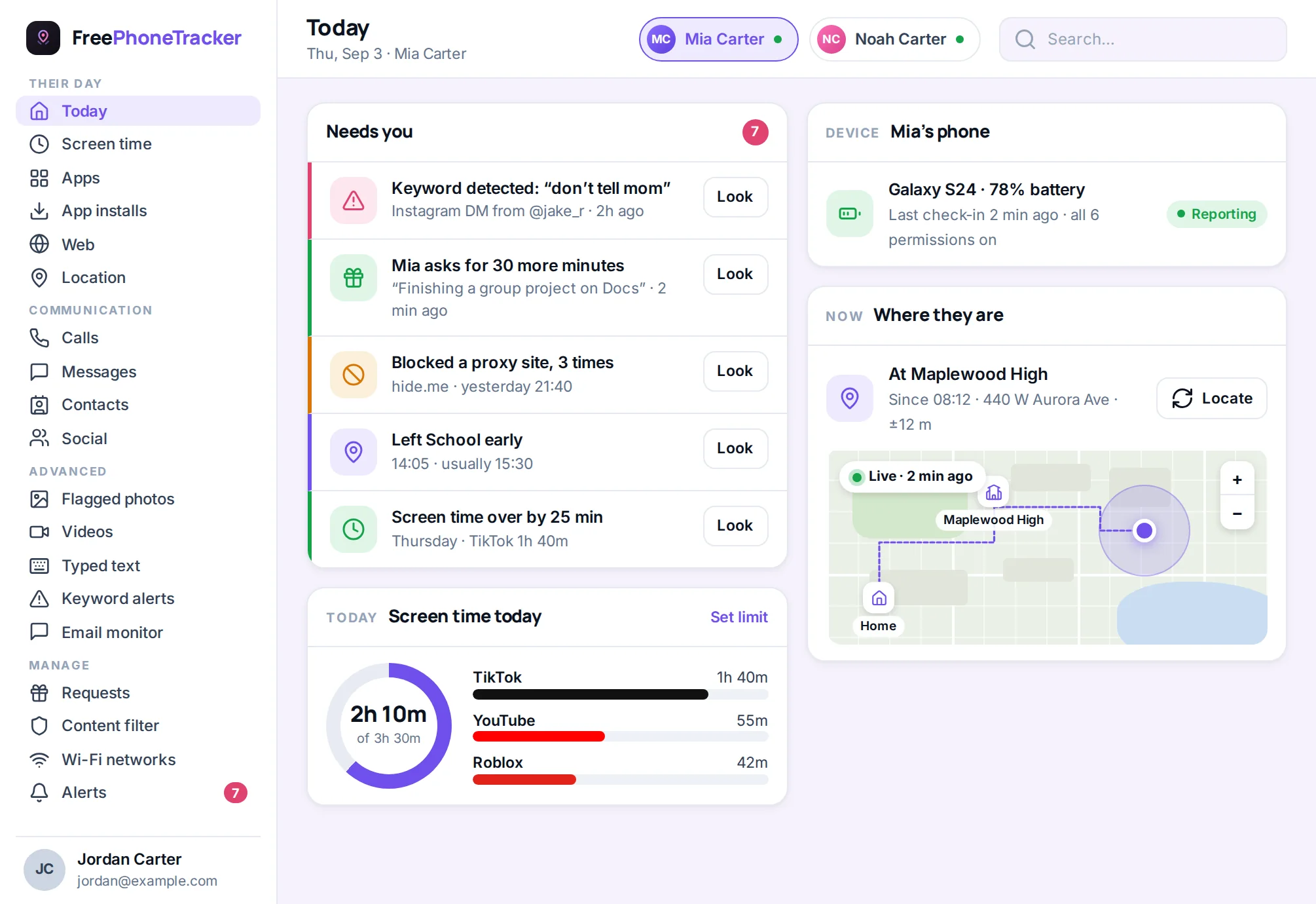
FreePhoneTracker is a free parental tracking app for Android. Follow your child’s location in real time, keep an eye on calls, messages and apps, and get an alert the moment something needs you — all from one web panel, in any browser.
- Live GPS location
- Call & SMS logs
- Screen-time limits
- App blocker
- Website filter
- Social & chat activity
- Instant alerts
- Content filter
One panel for the whole phone
The app runs on your child’s Android phone and reports to your panel. Open it on your laptop or your own phone and you see the day at a glance — then dig into any part of it.
Location & places
Live location, a full history trail, and alerts when they arrive at or leave places you name — home, school, a friend’s house.
ExploreCall tracker
Every call in and out — who, when, how long — with an option to record calls where it’s turned on.
ExploreSMS & messages
Read the text threads on their phone, see who they talk to most, and catch the ones that matter.
ExploreScreen time
Daily limits, bedtimes and homework hours, with a clear report of where the hours actually went.
ExploreApps & blocking
See every app they use, block the ones you don’t want, and get told when a new app is installed.
ExploreWeb & filter
Browsing history, a category content filter, and blocklists that work across their browsers.
ExploreSocial & chat
Activity from Instagram, Snapchat, WhatsApp and more, so you can see who they’re talking to.
ExploreKeyword alerts
Be told the moment a risky word or phrase appears in a message, search or typed text — even in apps where the message disappears.
ExploreContent filter
Block adult and unsafe categories automatically, and see every attempt that was stopped.
ExploreAnd more
Contacts, installed apps, Wi-Fi history, email activity, videos and photos — all in the same panel.
See everything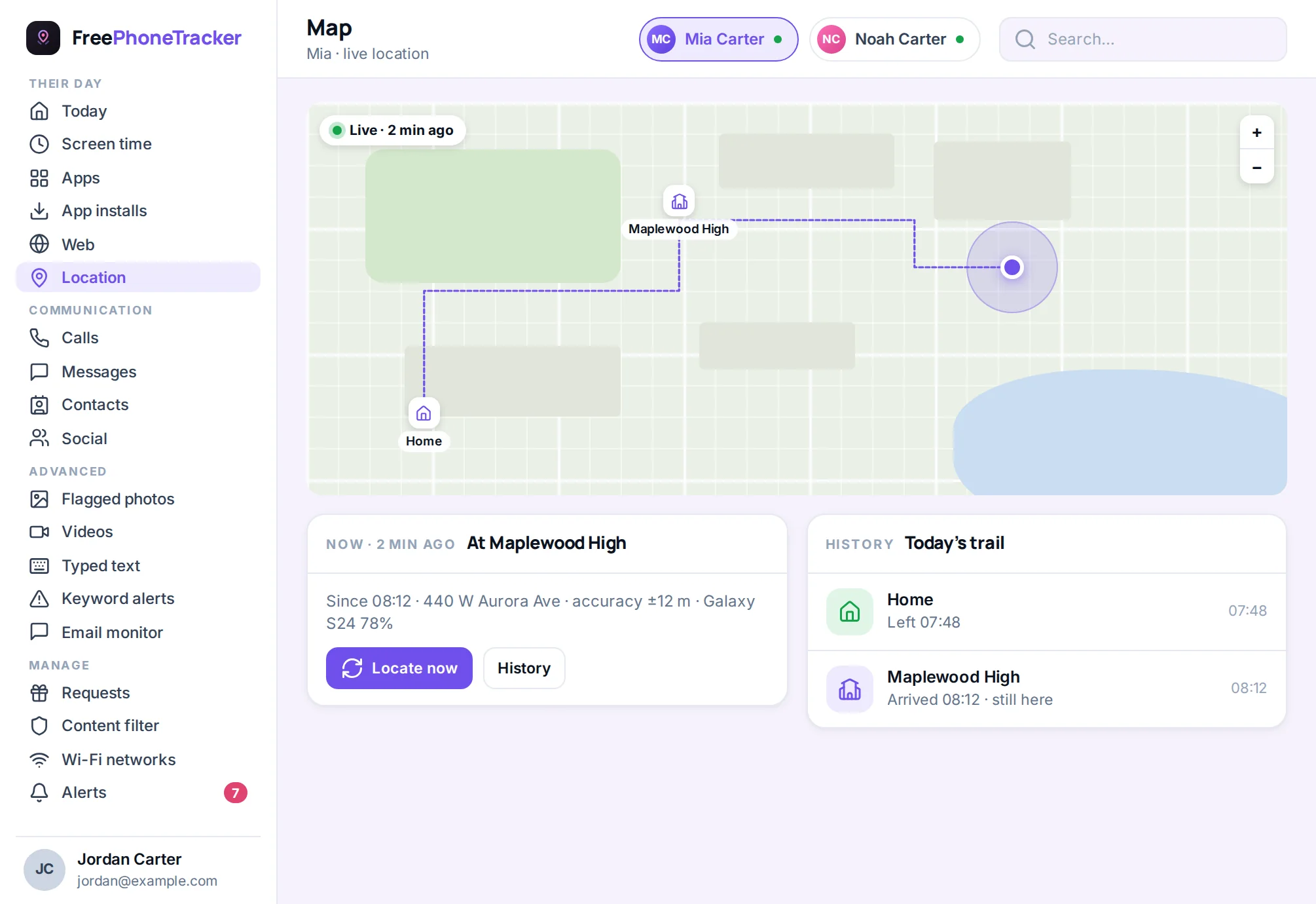
Stop asking “where are you?”
Open the map and the pin is right there. FreePhoneTracker shows your child’s live location, keeps the trail of where they’ve been, and pings you when they reach the places that matter.
- Real-time location, refreshed as they move
- Arrive-and-leave alerts for home, school and more
- A location history you can scroll back through
- Find a lost or silenced phone in seconds
Set the limits once, let them run
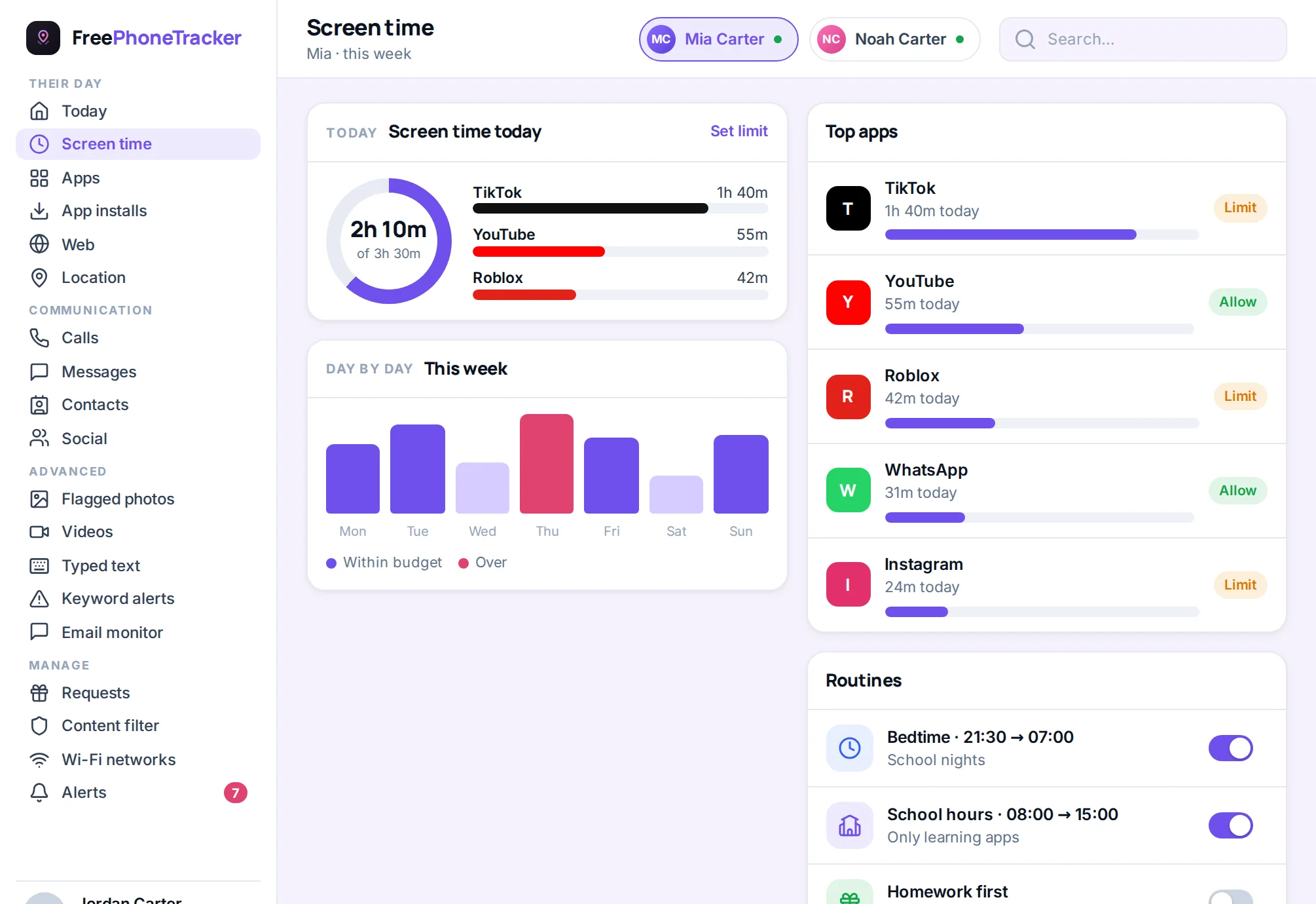
Give entertainment apps a daily budget and a bedtime. Calls, maps and messages keep working — only the time-sinks are on the clock. When they ask for more, you approve or decline with a tap.
- Daily limits, weekends and school days apart
- Bedtime and homework schedules
- Block any app outright, or just cap it
- A weekly report that shows where the hours went
See the conversations that count
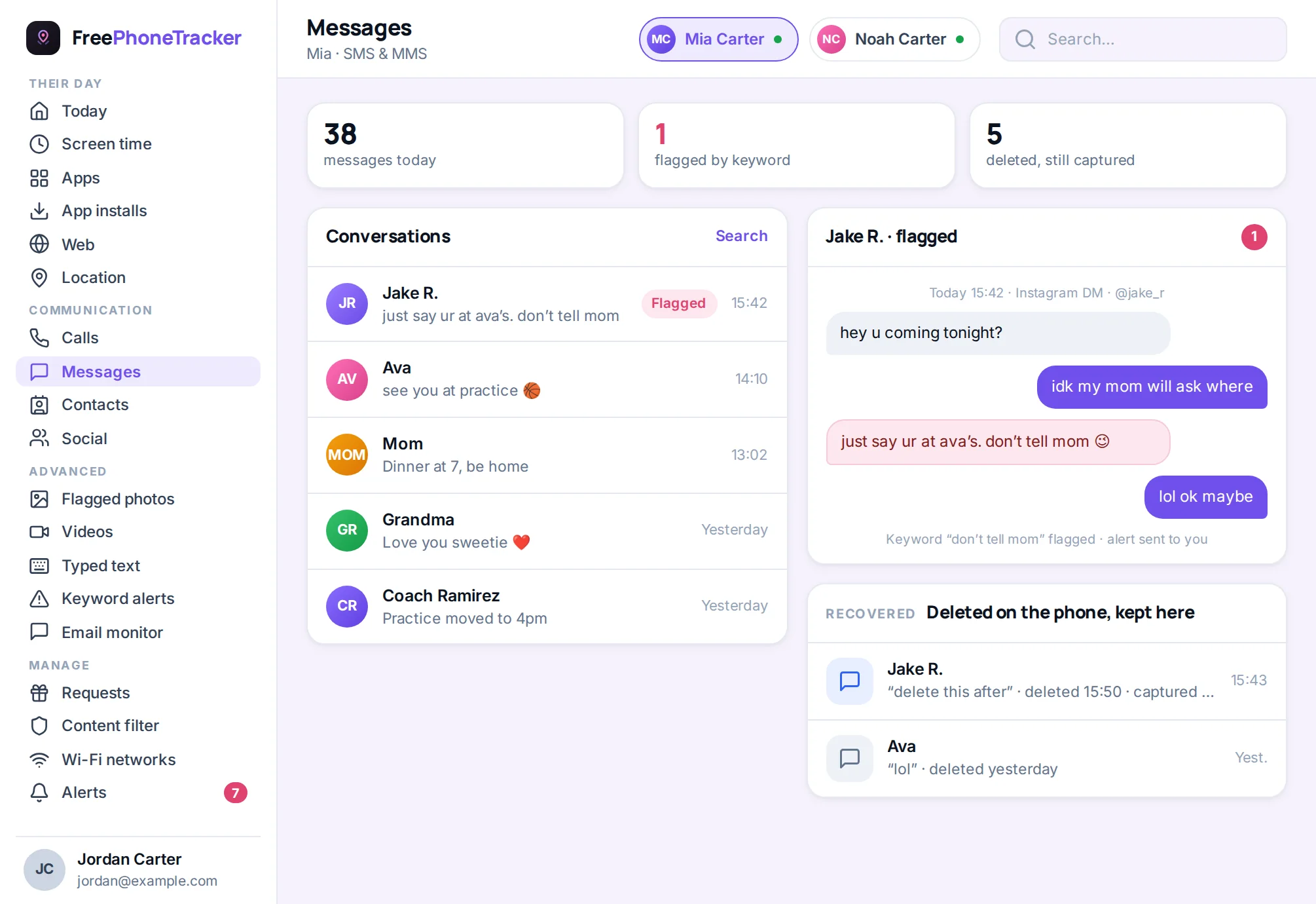
Calls in and out, text threads, and activity from the chat apps kids actually use. It’s the difference between guessing who they’re talking to and knowing — so you can step in early if a stranger shows up.
- Full call log with names, times and length
- Text message threads, newest first
- Instagram, Snapchat, WhatsApp and more
- Keyword alerts for words that worry you
Built to be lived with, not fought with
The panel and the app are two halves of one system, so what you set reaches the phone and what the phone sees reaches you.
Connected in about two minutes
Create your account, add your child, install the app on their phone, and link the two with a single code. Nothing is collected until you do.
Create a code
Sign up free and add your child. Your panel makes a short pairing code.
Install & type it in
Install the app on your child’s Android phone and enter the code.
You’re linked
The phone reports to your panel and your settings reach the phone.
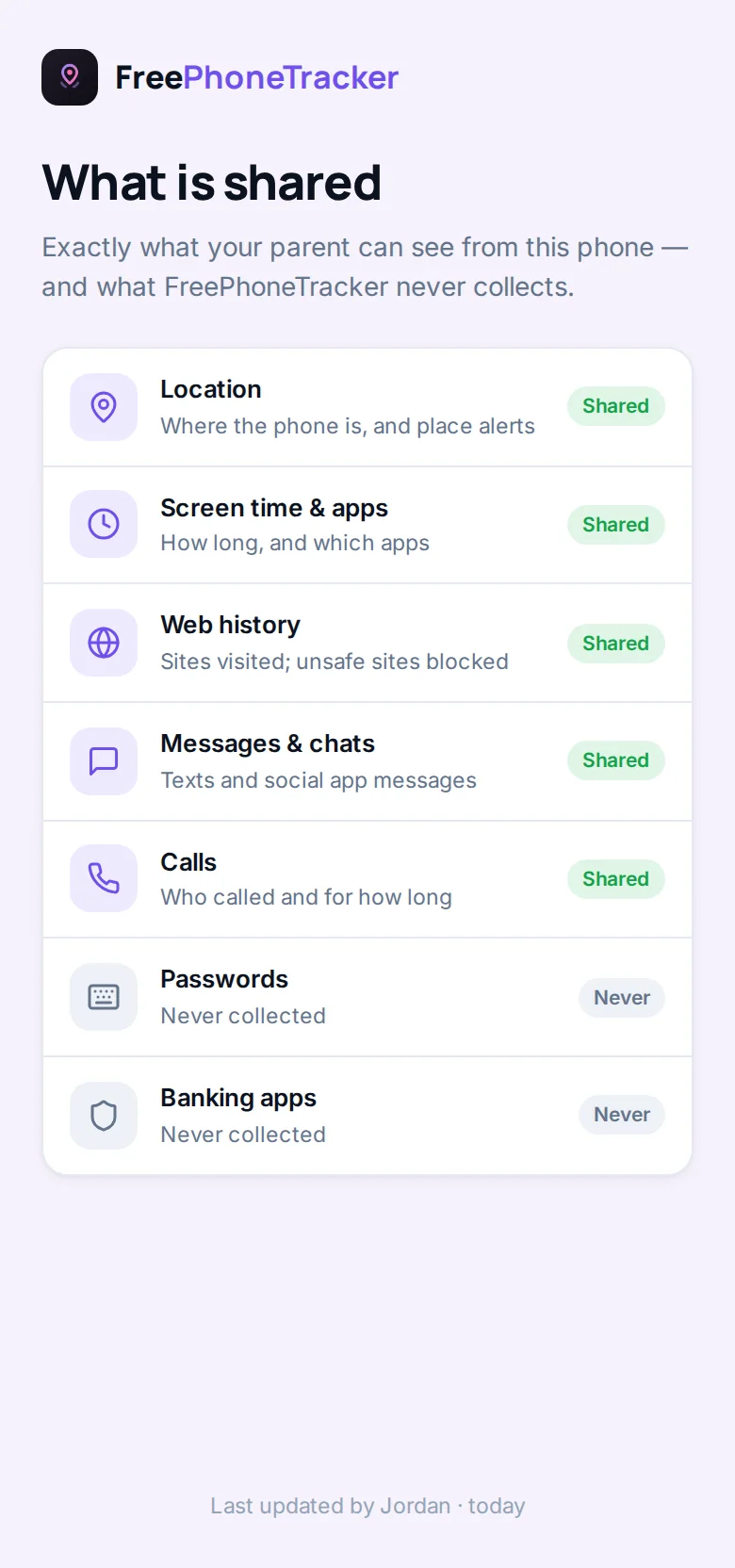
What your child sees
FreePhoneTracker is open on your child’s phone by design. It’s an app they can find and open, that tells them what’s shared — and never hides that it’s running.
They can see exactly what’s shared
A plain-language screen lists what’s collected — and what never is. Trust is a feature, not an afterthought.
They can ask for more time
A tap sends a request to you; you say yes or no. No arguments over the dinner table.
Nothing runs until you connect
No collection until the phone is paired and permissions are on. You decide what’s on, and can turn anything off.
FreePhoneTracker is intended for parents monitoring their own minor children, and for phones you own or have consent to monitor.
Why parents choose FreePhoneTracker
There are plenty of ways to keep tabs on a child’s phone, and most of them make you compromise. The gentle screen-time apps are pleasant but blind to the things that actually go wrong — the stranger in the DMs, the app that appeared overnight, the location that doesn’t match the story. The heavy “spy” apps see everything but hide from the child and from Android itself, which crosses a line and breaks the first time the system updates. FreePhoneTracker is built to sit exactly where a parent needs it: thorough enough to catch real problems, honest enough that you can tell your child it’s there.
That combination is the whole point. You get the complete toolkit — location, calls, messages, social apps, screen time, blocking, and the sensitive features when you choose to turn them on — in one panel that runs in any browser. And because the app doesn’t pretend to be invisible, it cooperates with Android instead of fighting it. Permissions are granted openly, so they survive updates. Reporting is steady. You spend your evenings reading what the app found, not restarting a service that keeps dying.
Made for real family life
The best parental tracker is the one that fades into the background until you need it. Most days, FreePhoneTracker is a glance at the map on the way out the door and a quiet dashboard that says everything’s fine. Then there’s the day it isn’t — the late bus, the new friend group, the app you never approved, the night a plan changes twice — and suddenly the map, the alerts and the message history are exactly what you reach for. It’s designed for both: unobtrusive when life is ordinary, and there in full when it isn’t.
It also grows with your child. The limits you set at eleven aren’t the ones you’ll want at fifteen, and everything here is adjustable per child and per device. You can loosen a category, lift a block, or turn a feature off entirely as trust is earned — because the goal was never to control a phone forever, but to help a young person learn to handle one safely.
Everything you’d want, honestly done
Under one free account you can see where your child is in real time, follow the trail of where they’ve been, and get pinged when they reach home or school. You can read their texts and social chats, see every call, and be alerted the instant a worrying phrase appears. You can cap the time-sinks, block what shouldn’t be there, and keep the web age-appropriate. And when a location and a message still aren’t enough, you can check in with a photo or a short audio clip — features that stay off until you decide otherwise and that your child can see are available. It’s a lot of capability, and every bit of it is built to be used out in the open, the way looking after your own child should be.
Free to start. Earn the rest.
Download, set up and use the core tracking for free. Unlock the advanced features — and add more days — by completing quick tasks like leaving a review or telling another parent. No card, no catch.
Quick answers
Is FreePhoneTracker really free?
Yes. Downloading the app, creating your parent account and using the core tracking — location, calls, messages, screen time and alerts — is free. Advanced features unlock as you complete simple tasks. See the pricing page for the detail.
What phones does it work on?
The app installs on the child’s Android phone. Your own panel works in any modern browser — phone, tablet or laptop — so you don’t need to install anything on your device.
Does my child know it’s there?
Yes. The app shows a transparency screen that lists exactly what’s collected, and it stays visible on the phone. FreePhoneTracker is designed for open, parent-and-child monitoring, not secret surveillance.
How long does setup take?
About two minutes. You create an account, add your child, install the app and type in one pairing code. Our download page walks through every step with screenshots.
Peace of mind starts today
Set up FreePhoneTracker in a couple of minutes and see your child’s phone the way you’ve always wanted to — clearly, and in one place.