Everything FreePhoneTracker can see and do
One app on your child’s Android phone, one panel for you. Below is every feature, grouped by what it’s for — tracking where they are, monitoring what they do, and controlling how the phone is used. Each links to a deeper page with screenshots and setup.
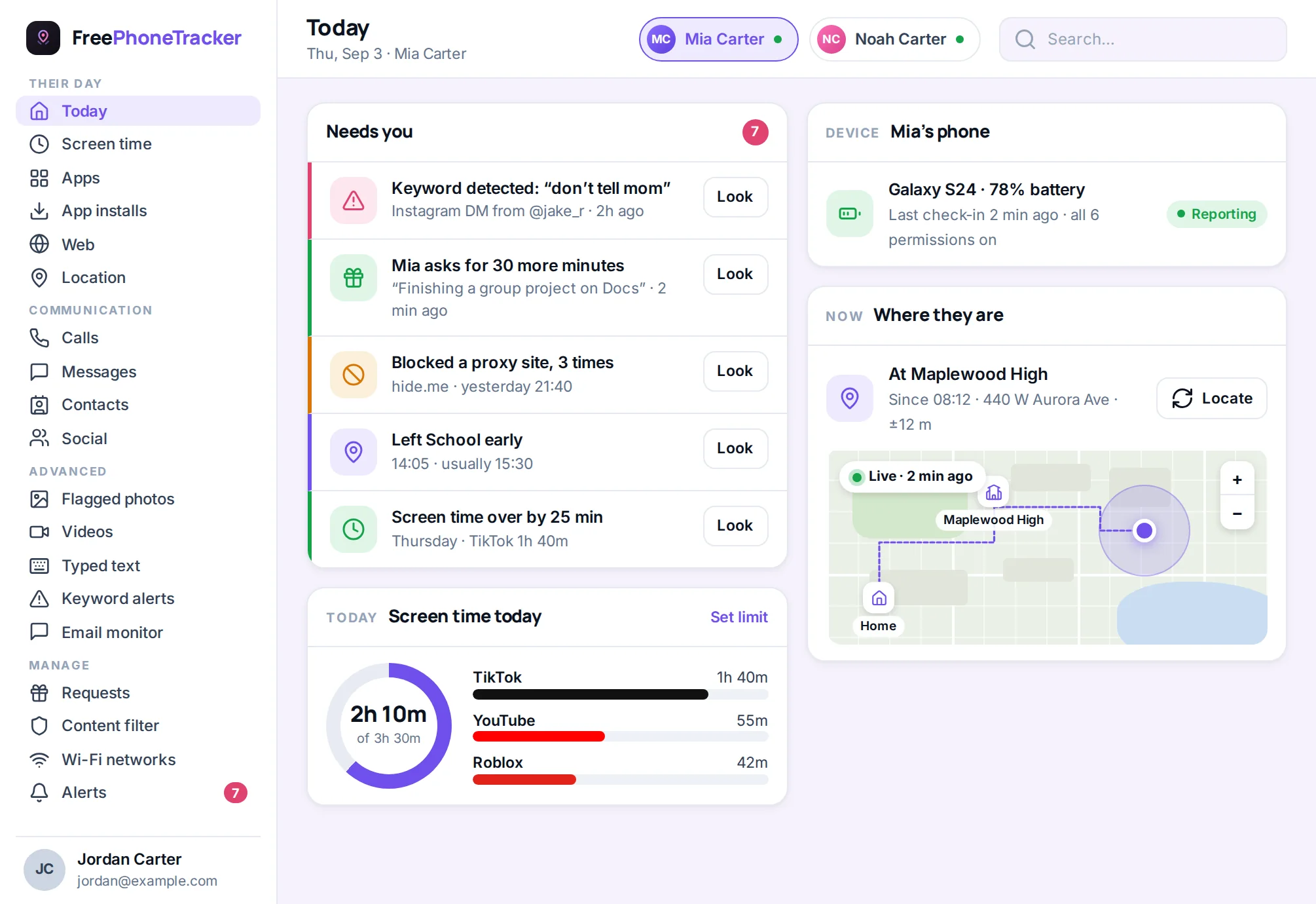
Know where they are
Location is the reason most parents install a phone tracker in the first place. FreePhoneTracker does it properly: a live pin, a history you can scroll, and alerts tied to real places.
Location tracking & places
See your child’s current location on a live map, follow the trail of where they’ve been through the day, and set up named places — home, school, grandma’s — that ping you the moment they arrive or leave. If the phone is lost or on silent, the map finds it fast.
Open location trackingLocation history & find a lost phone
Every location the phone reports is kept as a timeline, so “where were they at 4pm?” has an answer. The same feed powers a lost-phone lookup — handy when a handset slides under a car seat or gets left at practice.
How history worksSee what they do
Calls, texts, the apps kids really talk on, what gets typed, and — where you turn it on — the phone’s camera and mic. This is the part that lets you spot a problem while it’s still small.
Call tracker & recording
Every call in and out with name, time and length — plus optional call recording where it’s switched on.
OpenSMS & message tracker
Read the text threads on the phone, see who they message most, and catch the concerning ones.
OpenSocial media monitoring
Activity from Instagram, Snapchat, WhatsApp, TikTok and more — the apps where problems usually start.
OpenKeyword & typed-text alerts
Instant alerts when a word on your watch-list appears in a message, a search or typed text.
OpenShape how the phone is used
Tracking tells you what’s happening. Control lets you do something about it — limit the time-sinks, block what shouldn’t be there, and keep the web age-appropriate.
Screen time
Daily limits, bedtimes and homework hours, with a report of where the time went.
OpenApp blocker
Block any app outright or cap it, and get told when a new one is installed.
OpenWebsite blocker
Browsing history plus blocklists that hold across the phone’s browsers.
OpenContent filter
Block adult and unsafe categories automatically, and see what was stopped.
OpenThe details that round it out
Beyond the headline features, the panel keeps track of the everyday things a parent ends up needing.
- Contacts — the address book on the phone, so you know who’s saved
- Installed apps — a running list, with an alert on anything new
- Wi-Fi history — the networks the phone joins, including open ones
- Email activity — the mail apps in use and who’s writing in
- Videos & photos — media captured or flagged on the device
- Alerts feed — everything worth your attention, in one list
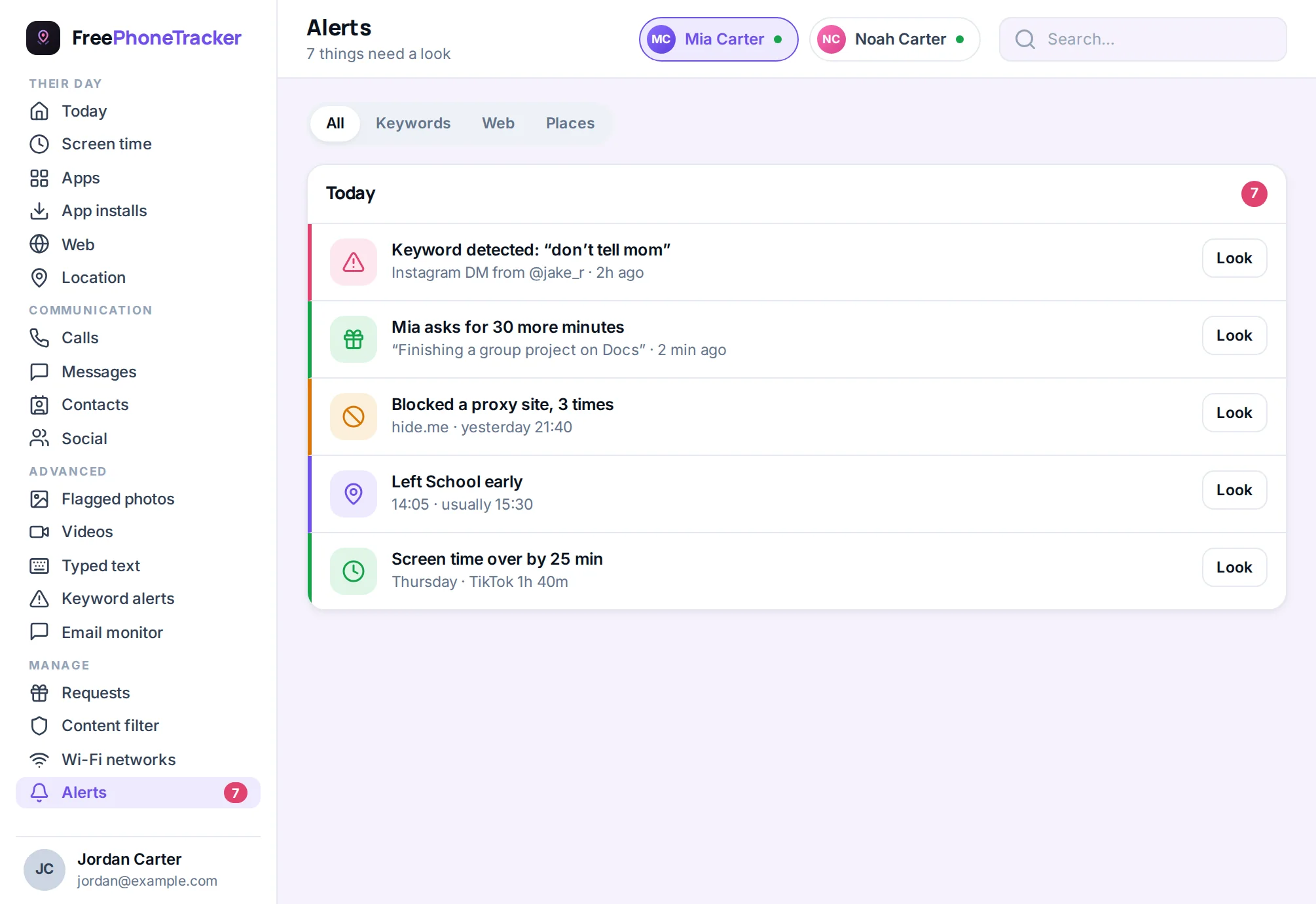
A full tracker that’s still fair
Most phone trackers make you pick a side. The gentle apps only do time limits and skip the monitoring that actually catches a problem. The heavy “spy” apps do the monitoring but hide themselves on the phone, which crosses a line — and, on Android, tends to break the first time the system updates.
FreePhoneTracker sits where a parent actually needs it. You get the complete toolkit — location, calls, messages, social, screen time, app and web blocking, and alerts for the words that matter. But the app is honest about being there. Your child can open it and read exactly what’s shared. Nothing runs until the phone is paired and permissions are granted. That combination — thorough and transparent — is the whole idea.
It also means the app plays nicely with Android instead of fighting it. Because it isn’t pretending to be invisible, it survives updates, doesn’t drain the battery hiding from the system, and keeps reporting reliably. You spend your time reading what it found, not restarting it.
How to choose what to turn on
You don’t have to switch on everything at once, and most parents shouldn’t. The right setup depends on your child’s age and what you’re actually worried about. A good rule of thumb: start with the basics almost everyone wants, add the monitoring that fits your specific concern, and keep the most sensitive features in reserve for a real reason.
For a younger child (say, a first phone at ten or eleven), location, places and screen time usually cover it, with the content filter on as a safety net and the app-install alert so nothing appears without you knowing. That’s a complete, gentle setup that respects a young child’s world while keeping them safe.
For a tween or young teen, the social and communication layer earns its place — call and message tracking, social monitoring, and keyword alerts — because this is the age when contact with the wider world ramps up and the risks that come with it start to appear. The alerts do most of the work, so you’re not reading everything, just the things that matter.
The advanced features — call recording and typed-text alerts — are off by default and best left off until a specific concern calls for them. They exist for the harder situations, they are visible to the child in the app, and using them sparingly is both more respectful and, honestly, more effective.
One system, not a pile of apps
Everything above is a single product, not a bundle of separate tools stitched together. The app on the phone collects; the panel shows you and sends your settings back; and because they’re two halves of one system, nothing drifts out of sync. A limit you set reaches the phone in minutes. A location the phone records reaches you just as fast. It’s why the dashboard can pull location, screen time, calls and alerts onto one screen — they were never separate to begin with. That coherence is what makes FreePhoneTracker feel less like software you manage and more like a quiet, reliable answer to the question every parent of a phone-owning child eventually asks: what’s actually going on with that thing?
See it on your own child’s phone
Every feature above is a couple of minutes away. Create a free account and connect the first phone today.