Free phone location tracker for parents
Follow your child’s phone on a live map, see everywhere it has been, and get an alert the moment they reach home, school or anywhere else you name. FreePhoneTracker turns “text me when you get there” into something you never have to ask.
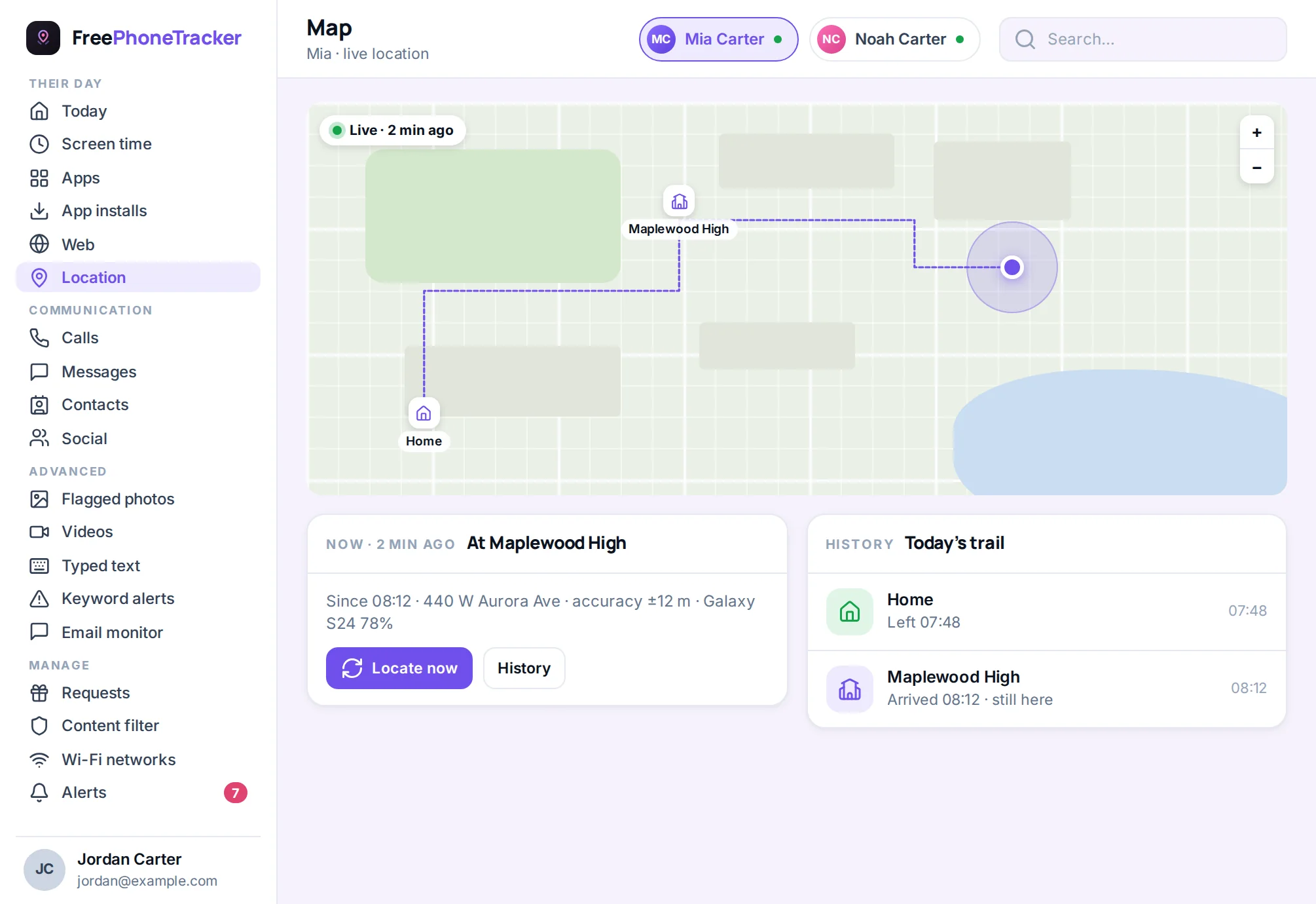
Every parent knows the feeling. The bus should have dropped them fifteen minutes ago, the phone rings out, and your mind starts filling in blanks it has no business filling. A phone location tracker exists to answer that one question — where are they right now? — before it becomes a worry.
FreePhoneTracker answers it in about a second. Open your panel in any browser, look at the map, and there’s the pin. It’s the current location of your child’s Android phone, and it updates as they move. No calling, no waiting, no reading tone into a one-word reply.
How location tracking works
The app on your child’s phone reads its GPS position — the same signal Maps uses — and sends it to your panel over the internet. When they’re moving, it reports more often so the trail stays smooth; when the phone is still, it reports less to save battery. You don’t manage any of that. You just see the result: a pin that’s where they are, and a line showing where they’ve been.
Because the location comes straight from the phone’s own hardware, it works anywhere there’s signal — walking to a friend’s, on the bus across town, on a school trip two counties over. It doesn’t depend on them sharing a link or leaving an app open. Once the phone is paired, location reporting simply runs.
Places: alerts tied to the spots that matter
A pin on a map is useful. An alert that says “Sophie arrived at school, 8:49am” without you looking is better. That’s what Places does. You draw a circle around the spots your family cares about — home, school, a grandparent’s house, the sports club — give each one a name, and FreePhoneTracker watches for arrivals and departures.
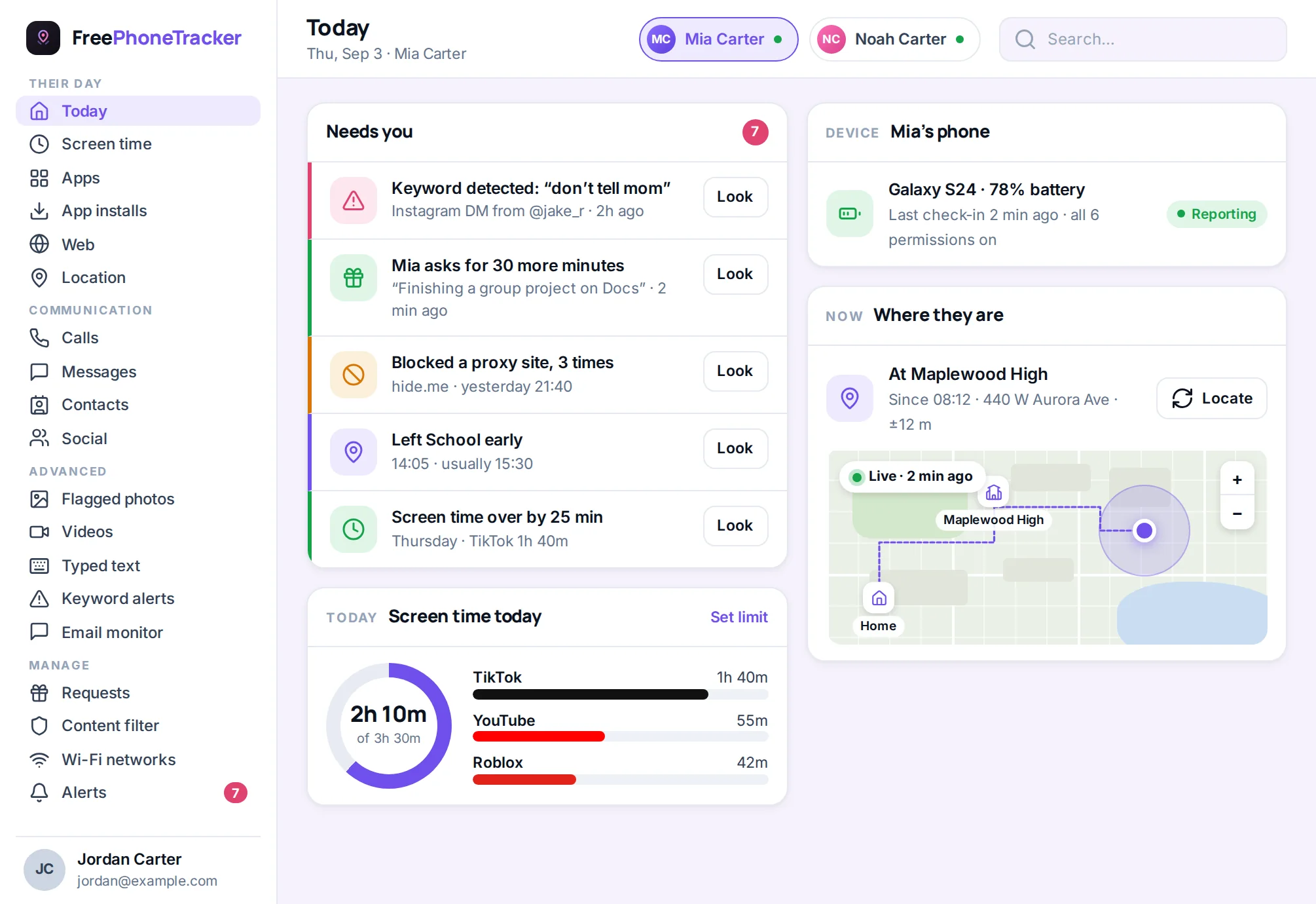
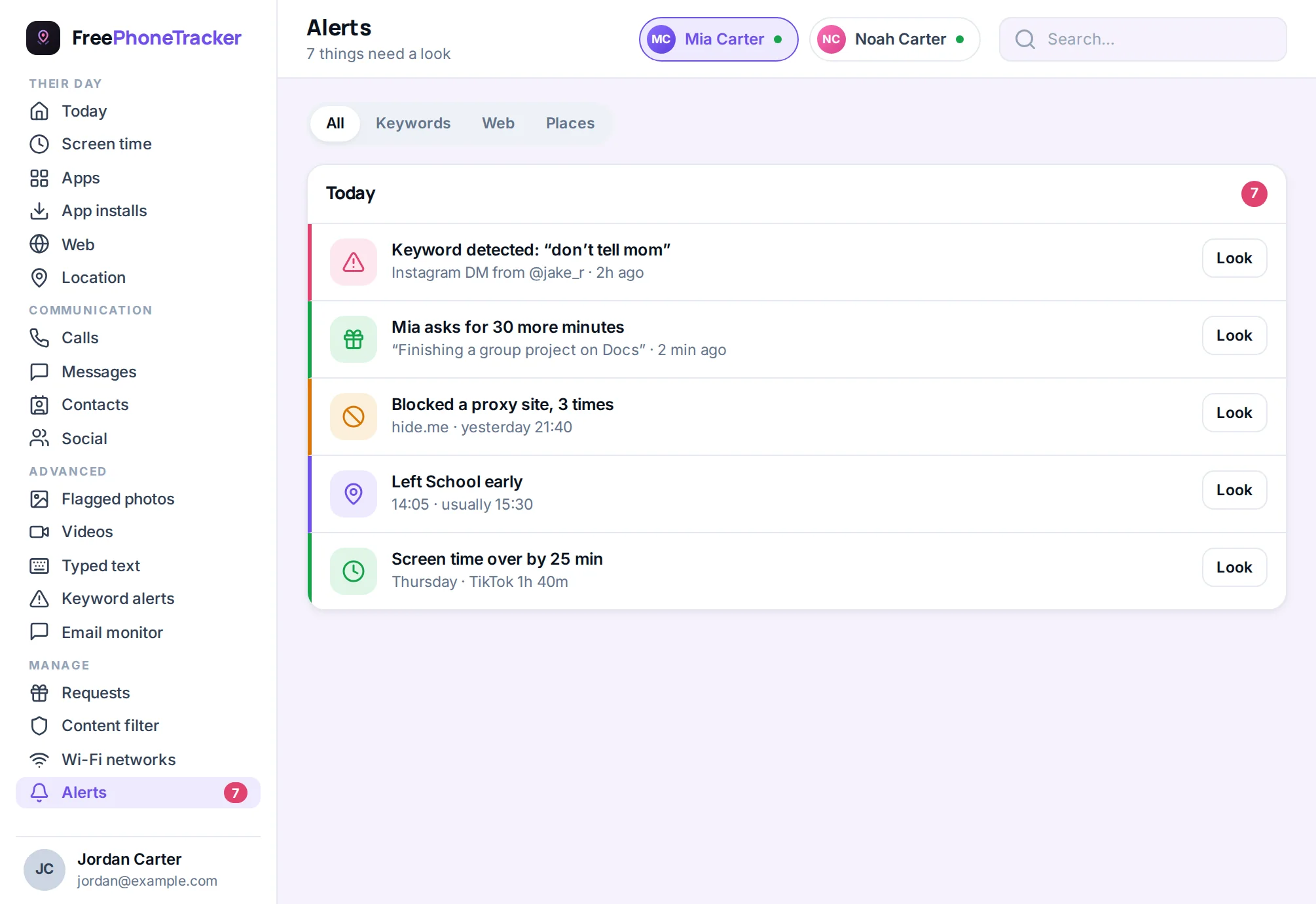
From then on, the phone tells you when your child crosses one of those boundaries. Home safe after practice. Left for school on time. Arrived at a party they said they’d be at. It’s the quiet reassurance of knowing the routine is holding — and the early warning when it isn’t, like a “left school early” alert at 1:40pm when the day runs to 3:20.
- Name your own places. Anything that matters to your family, with a radius you set.
- Arrive and leave alerts. Choose which places notify you, and for which child.
- No repetition fatigue. Alerts fire on the crossing, not every minute they’re inside.
Location history you can scroll back through
Sometimes the question isn’t “where are they now” but “where were they earlier?” FreePhoneTracker keeps a location history — a timeline of the positions the phone reported through the day and the days before. Scroll back and you can see the shape of an afternoon: school, then the shop, then home. It’s the difference between a story you’re told and one you can check.
The history is also honest about accuracy. GPS is excellent outdoors and vaguer indoors or among tall buildings, so each point carries how precise it was. You’re never guessing whether a pin means “here” or “somewhere on this block.”
Find a lost phone
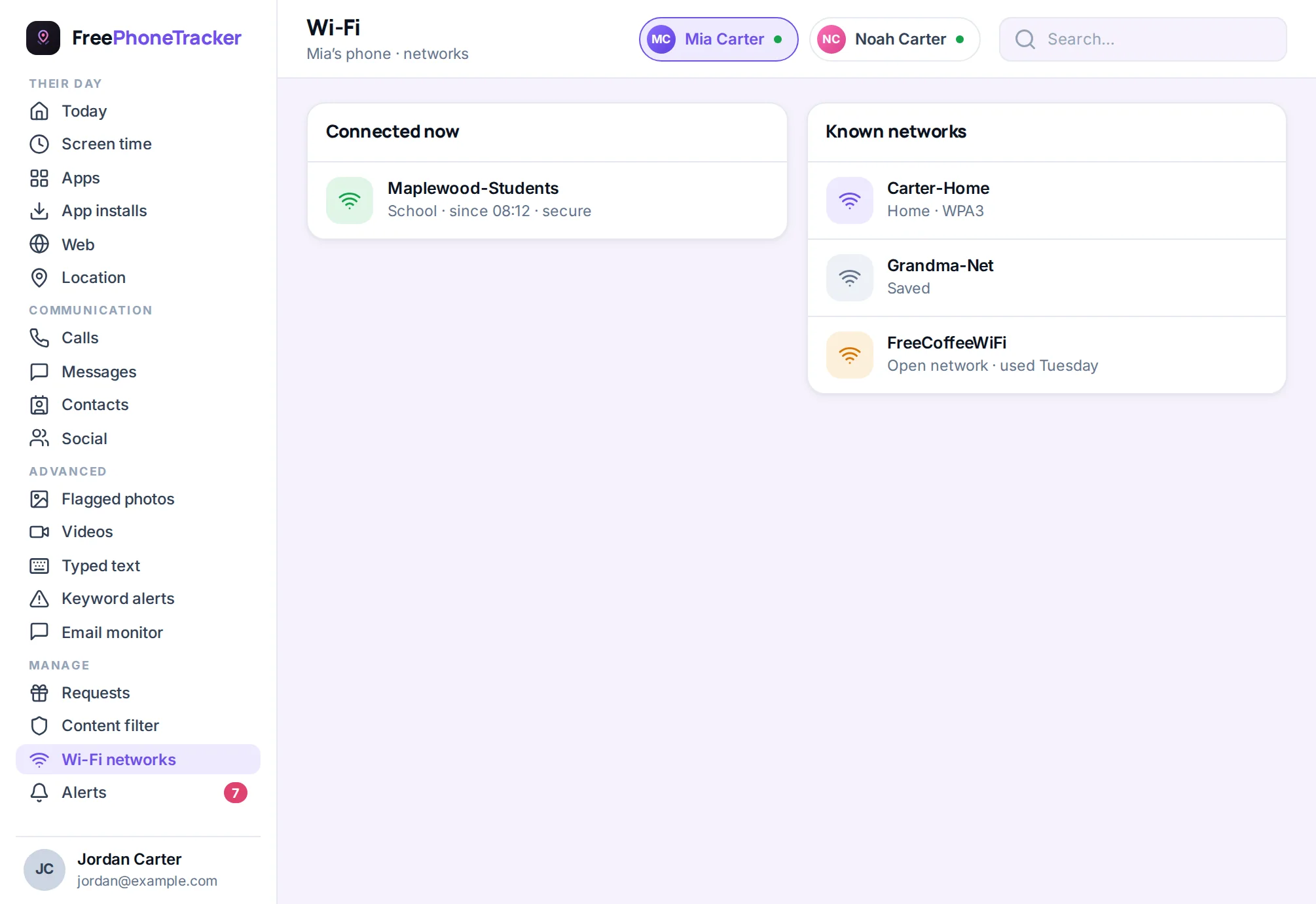
The same location feed doubles as a lost-phone finder. When a handset vanishes under a sofa cushion, gets left at a friend’s, or goes quiet on silent, open the map and you’ll see where it last reported. For the everyday “I can’t find my phone” panic, that’s usually all it takes. It’s a small feature that earns its keep the first week you have it.
Live location when it really matters
Most of the time, the normal reporting rhythm is plenty. But when you want a closer look — they’re walking home late, or a plan changed and you want to watch it play out — you can ask the phone for live location. It tightens the update interval so the pin moves in near real time for a while, then eases back to save battery. You get the detail when you need it without draining the phone the rest of the day.
Set up in minutes
Location tracking turns on as part of the two-minute setup. You install the app on your child’s phone, grant the location permission together (Android asks clearly, and the app explains why), and the map starts filling in. Because the permission is granted openly, there’s nothing fragile about it — no trick that an Android update will quietly undo.
Private to your family
Your child’s location is some of the most sensitive data a family has, and it’s treated that way. It’s visible only to you in your panel, it’s never sold or shared, and your child can see on their own phone that location is being collected. You can turn it off at any time. Tracking your kid should feel like looking out for them, not like surveillance — and where they are is exactly the kind of thing that should stay inside the family.
When parents reach for a location tracker
Nobody installs a phone tracker on a whim. It’s almost always a specific moment that tips the decision. The first time a child walks home alone and the ten minutes it should take stretches to forty. The school trip that goes quiet for a whole afternoon. The new friend group whose plans keep changing at the last minute. A tracker doesn’t replace trust — it takes the frantic guesswork out of the gap between “they should be back” and “they’re back.”
Here are the everyday situations FreePhoneTracker was built for:
- The daily commute. Walking or bussing to school and back is the routine that a place-based alert quietly watches, so “did they get there?” answers itself every morning.
- After-school freedom. As kids earn independence, the map lets you give them more of it — you can say yes to the park or a friend’s house because you can see they arrived.
- The changed plan. “We’re going to Jess’s instead” is easier to accept when the pin confirms it, and easier to question when it doesn’t.
- The genuine emergency. On the rare bad day — a child who isn’t answering, a pickup that’s gone wrong — knowing exactly where the phone is turns panic into action.
Location tracking and trust go together
There’s a worry that tracking a child’s location is a vote of no confidence. In practice, the families who use it well find the opposite. Because FreePhoneTracker is open — your child knows the map exists and can see it’s collecting location — it becomes a shared safety tool rather than a secret. Many parents frame it exactly that way: “this is so I don’t have to text you every hour.” The result is often more freedom for the child, not less, because the parent’s anxiety has somewhere to go besides a phone call.
That openness also sets a healthy example. Kids learn that location sharing is a normal safety practice among people who care about each other, not something to be ashamed of or to sneak around. It’s a very different lesson from discovering a hidden app on their phone years later.
Getting the most from location tracking
A few habits make the feature far more useful than a raw pin ever could be:
- Set your places first. Home and school are the obvious two; add the spots your family actually uses — a grandparent’s, the club, a best friend’s house — so arrivals and departures become informative rather than noise.
- Size the radius to the place. A tight circle for a single house, a wider one for a sprawling school campus, so alerts fire when they mean something.
- Lean on history, not just the live pin. The trail answers “where were they earlier?” and settles a lot of small questions without a single text.
- Use live location sparingly. Save the tightened real-time window for the moments that warrant it; the normal rhythm is enough the rest of the time and kinder to the battery.
How it compares to “Find My” and sharing links
Phones have basic location sharing built in, and it’s fine as far as it goes. The difference is reliability and reach. Built-in sharing depends on your child leaving it switched on and not “accidentally” turning it off; it offers no place-based history you can scroll, no arrival alerts tied to named spots, and it sits entirely separate from everything else you’d want to know about the phone. FreePhoneTracker keeps location running as part of a paired setup your child can’t simply disable, records a proper history, fires the alerts that matter, and puts it all in the same panel as calls, apps and screen time. It’s the difference between a single feature and a complete picture.
Common questions about GPS tracking
Can I track a phone’s location for free?
Yes. Live location, the map and place-based arrival alerts are part of the free setup. You download the app, pair the phone, and the map works — no card required.
How accurate is the location?
It uses the phone’s own GPS, so outdoors it’s typically accurate to a few metres. Indoors or among tall buildings it’s less precise, and each point shows how accurate it was so you’re never misled.
Does it track location in real time?
The phone reports continuously as your child moves, and you can request a live window that tightens the interval to near real time when you want to watch a journey closely.
Will my child know their location is tracked?
Yes. The app shows a transparency screen on the phone listing what’s collected, including location. FreePhoneTracker is designed for open parental monitoring.
Does location tracking drain the battery?
Not noticeably. Reporting adapts to movement — frequent while travelling, sparse while still — which keeps the battery cost low across a normal day.
See where they are, right now
Set up FreePhoneTracker free and put the map one tap away.