Keyword alerts: be told the moment a risky word appears
Give FreePhoneTracker the words and phrases that would worry you — “meet me alone,” a drug name, the language of bullying — and get an instant alert when one appears in a message, a search or, if you switch it on, the text your child types. It turns hours of chat into the one message you actually need to see.
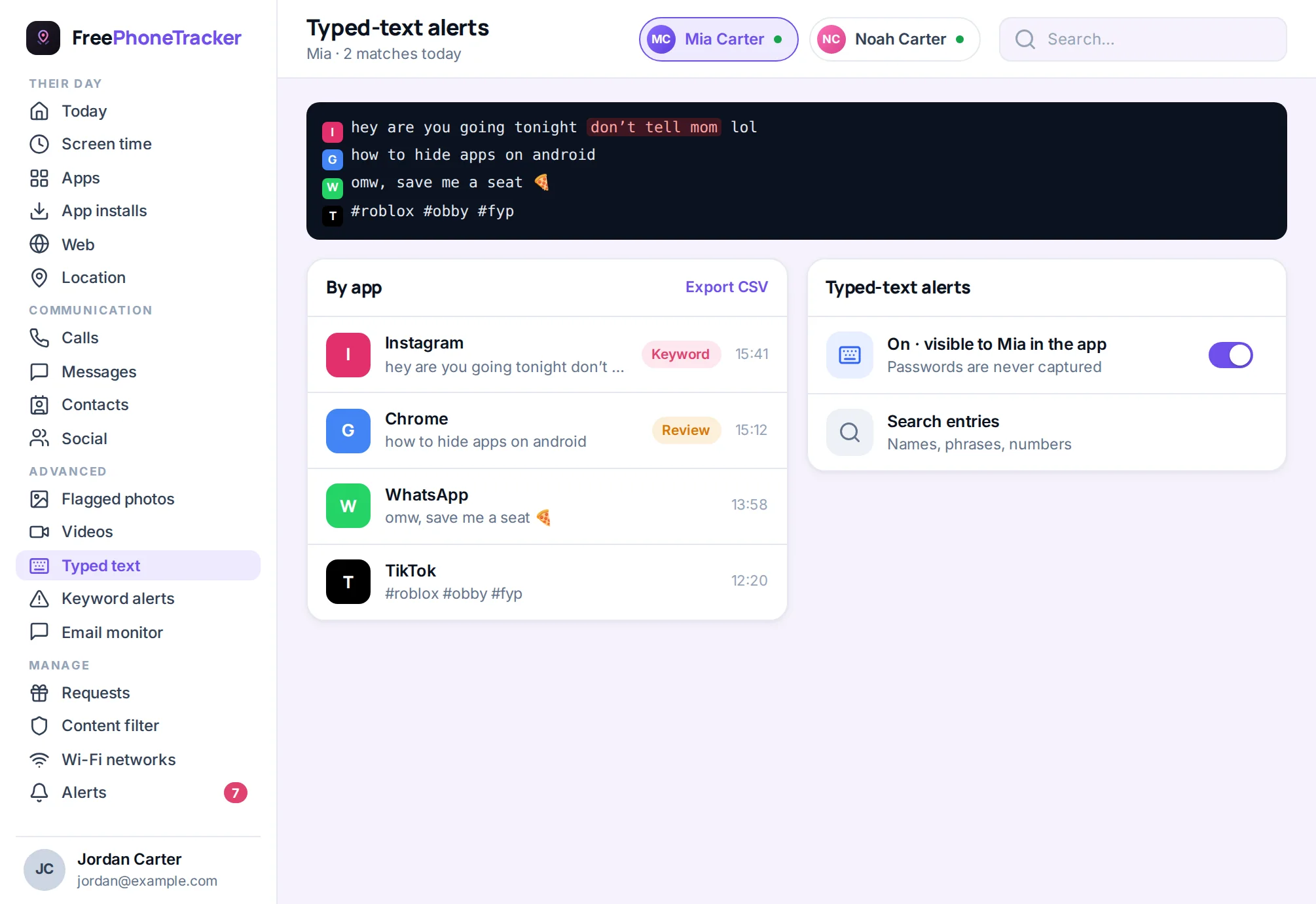
You cannot read everything, and you should not have to. Keyword alerts do the watching for you: the ordinary stays private, and only the message that matters reaches you — with the app, the phrase and the time, so you can judge in seconds whether it is a false alarm or a reason to talk tonight.
Where the watch-list looks
Keyword alerts scan the channels a child actually uses: SMS and chat-app messages, notifications from social apps, browser searches and — as an optional extra — typed text. Each hit is listed with the app it appeared in and when, so it reads in context rather than as a bare word.
- Typed text across apps, not just one messenger.
- Grouped by app and time, so it reads in context.
- Catches drafts and searches that never became sent messages.
Keyword alerts: the part you’ll actually use
Reading a week of a teenager’s messages is nobody’s idea of parenting. Keyword alerts flip it around. You give FreePhoneTracker the words and phrases that would make you sit up, and it watches for them everywhere. The moment one appears, you get an alert. The ordinary stays private; the dangerous comes straight to you.
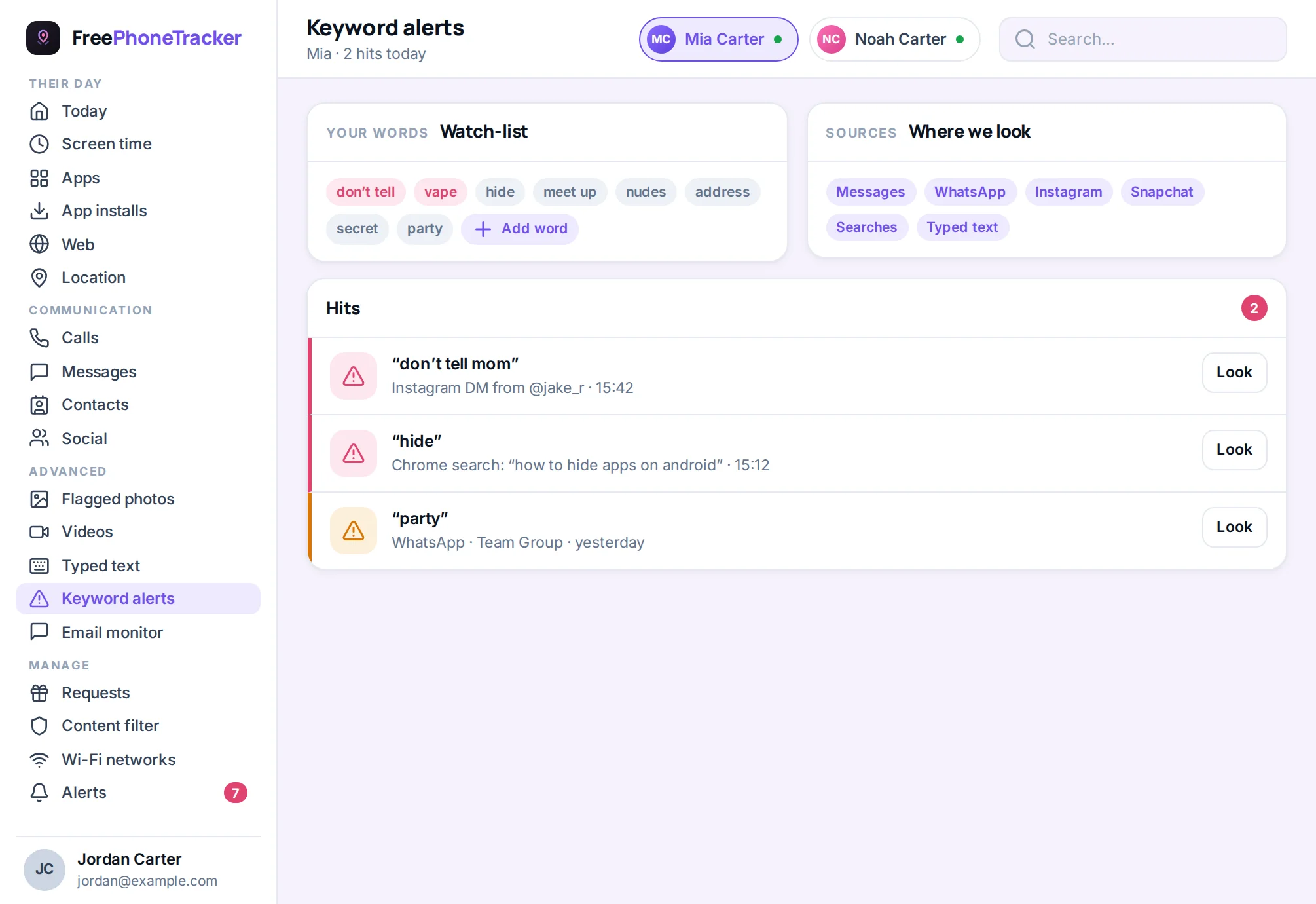
Out of the box it understands the phrases that tend to signal real risk — a stranger pushing to “meet alone,” talk of self-harm, drug slang, the vocabulary of grooming and bullying. You add your own, tuned to your child and your worries. Each alert shows the phrase, the app it appeared in, and when — enough to decide whether it’s a nothing or a now.
How it works
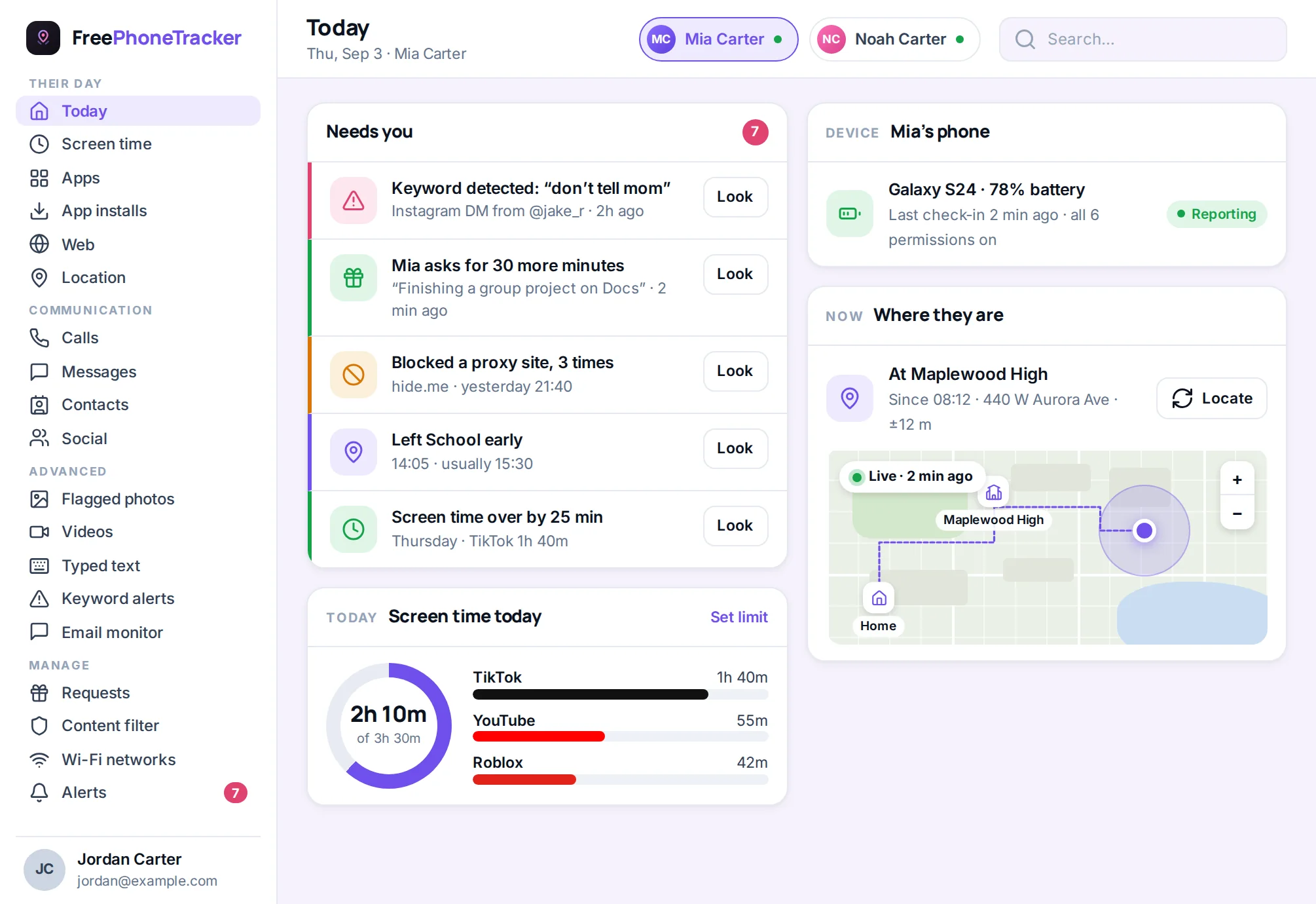
Keyword matching happens on the phone, using the accessibility permission your child grants openly during setup, and only the matches sync to your panel. Typed-text alerts — the feature other products call a keylogger — extend the same watch-list to text as it is typed, so a risky phrase is caught even in a disappearing-message app. They are off by default, never capture passwords, and show on your child’s “what is shared” screen when they are on.
Consent, privacy and good judgement
Watching a child’s words is a serious thing, and it is treated with care. Every part of this feature is consent-gated, listed on your child’s transparency screen, visible only to you, never sold, and switchable off at any time. Our honest advice: for most families the alerts alone give you the safety you want — you get the red flags, your child keeps the ordinary privacy that trust is built on.
Why alerts beat reading everything
The instinct with any monitoring tool is to read it all. Resist it. A week of a teenager’s typing is thousands of lines of song lyrics, half-finished thoughts, homework and inside jokes you will never understand — and somewhere in there, maybe, the one line that matters. Reading it all is exhausting, it is a real invasion of their ordinary privacy, and it is a terrible way to find the needle. Keyword alerts do the finding for you. You define the needles; FreePhoneTracker watches the haystack and taps you on the shoulder only when one turns up.
The words worth watching for
Out of the box, the alert list understands the phrases that tend to signal genuine danger, and you tune it to your own child and worries:
- Grooming and secrecy — “meet me alone,” “don’t tell your parents,” “our secret,” “send a pic.”
- Self-harm and crisis — language that suggests a child is struggling and needs help now.
- Drugs and risky behaviour — slang for substances, plans to sneak out, dangerous “challenges.”
- Bullying — the words that show your child is being targeted, or targeting someone else.
Each alert tells you the phrase, the app it appeared in, and when — enough to judge in seconds whether it’s a false alarm or a reason to sit down and talk tonight.
Catching the words that disappear
Typed-text alerts exist for the apps built to leave no trace — a snap gone in seconds, a chat inside a game, a message deleted before you could see it. The one thing that always happens first is typing. With typed-text alerts on, a watched word is matched as it is entered, before the app has a chance to erase it, and you get the alert with the app and the time. Nothing else is stored; the point is the warning, not a diary.
Handling it responsibly
We do not pretend watching typed text is a small thing. It is the most sensitive capability in the app, and it is built to be used with the most care: off by default, gated behind on-device consent, listed on the transparency screen, visible only to you, and switchable off in a tap. Our recommendation for most families is to run keyword alerts on messages and searches and leave typed-text alerts off until a specific, serious concern justifies them.
Questions about alerts
What do keyword alerts watch?
Messages, chat-app notifications and searches across the phone, plus typed text if you turn that on — each match listed by app and time in your panel.
Do I have to read everything?
Yes, and we recommend it. Set the words and phrases that worry you and FreePhoneTracker alerts you only when one appears.
Does it catch searches and drafts?
With typed-text alerts on, yes — a watched word is matched as it is typed, so it is caught even in apps where the message vanishes.
Will my child know?
Yes. Every part of this is consent-gated and shown on the transparency screen. This is open parental monitoring, not hidden surveillance.
Hear the alarm, not the noise
Set the words that matter and let FreePhoneTracker watch for them everywhere.